
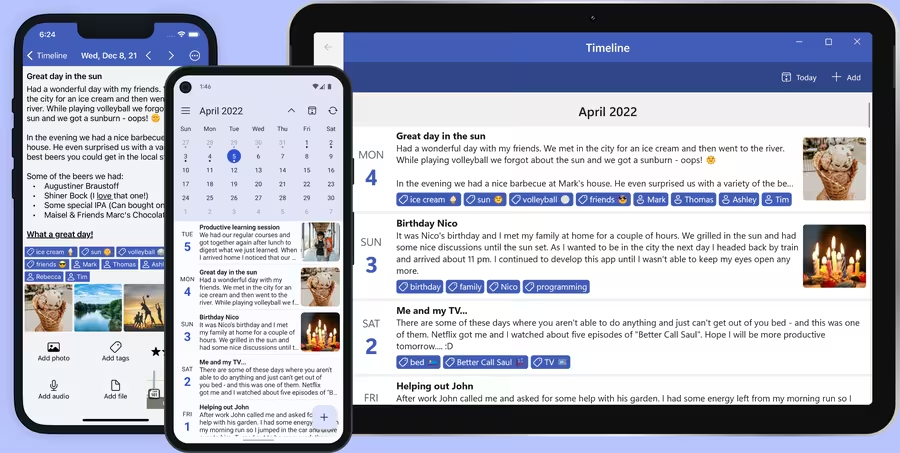




Why choose Diarium?
- Private by default: start journaling without creating an account.
- Cross-platform: write on Windows, Android, iPhone, iPad and Mac.
- Your cloud, your data: optional sync uses OneDrive, Google Drive, Dropbox, iCloud or WebDAV.
- No subscription: Diarium Pro is a one-time purchase per platform.
Powerful diary features
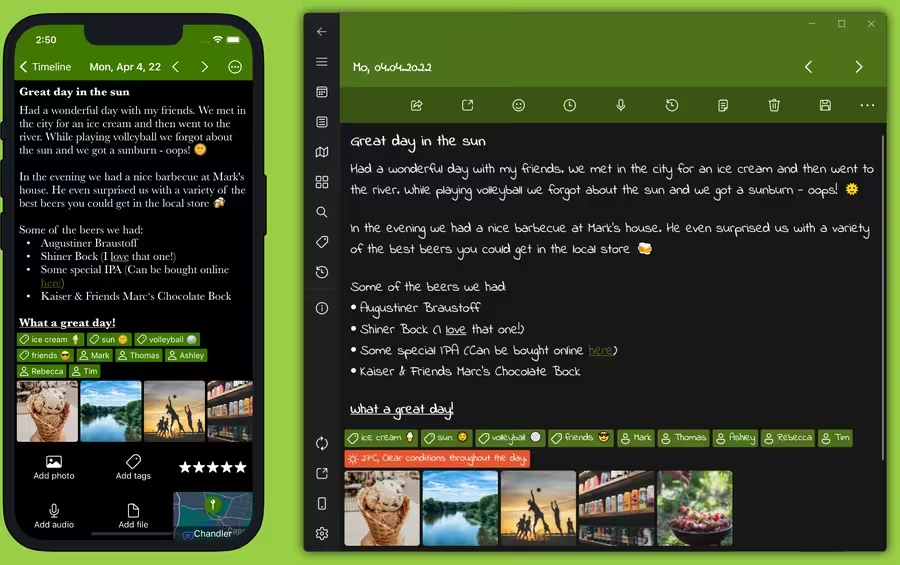
Add photos, videos, audio recordings or any kind of file to your diary. Style your journal entries with rich text formatting, add locations and tags, and use dictation when you want to write hands-free.
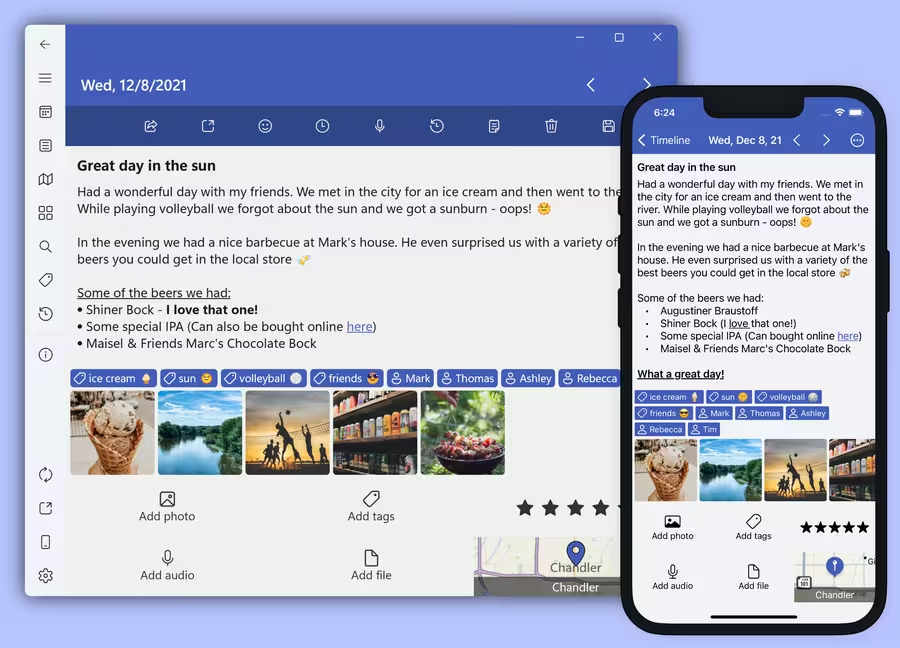
Look back at your life
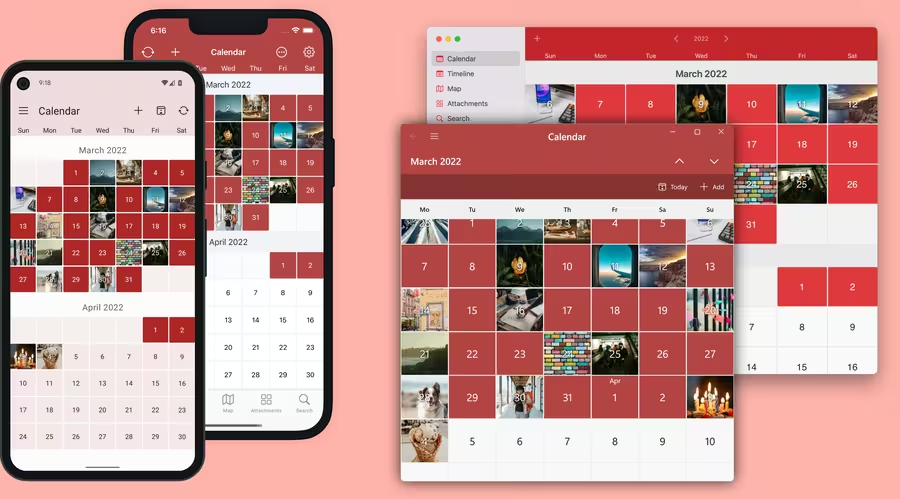
Revisit vacations, road trips and everyday moments using the map view, gallery view, calendar and timeline. “On this day” notifications help you rediscover past memories.
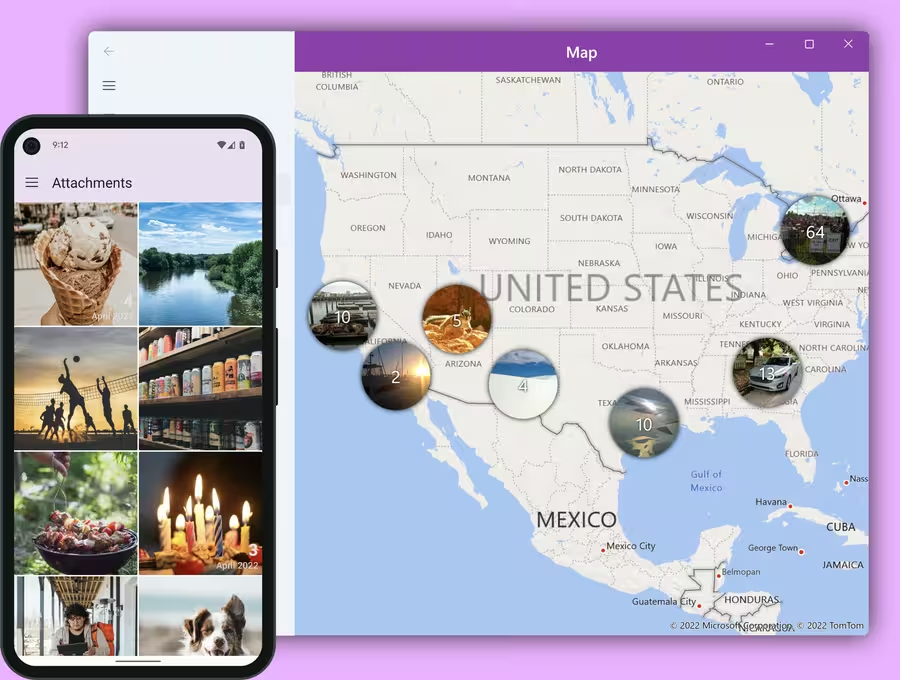
Journal anywhere
Available for iPhone, iPad, Mac, Windows & Android. Optional Cloud Sync keeps your journal updated across devices using your own cloud storage, so you stay in control of your data.
Smart integrations
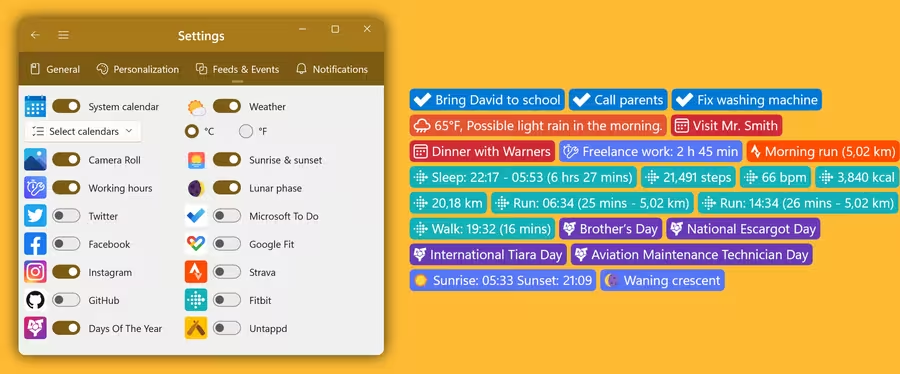
Not sure what to write about? Connect services you already use and Diarium can automatically show photos, calendar appointments, social media posts, fitness data, weather and more as context for your journal entry.
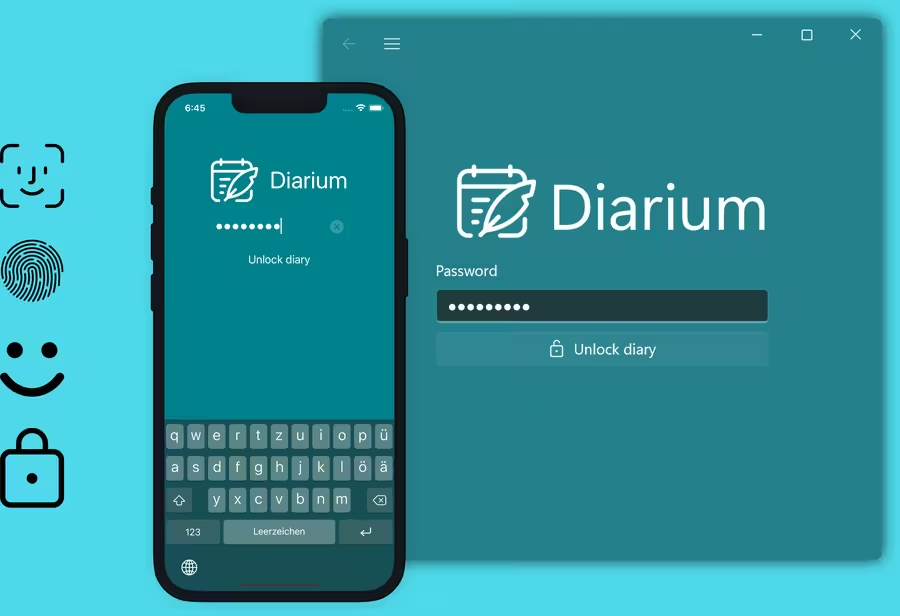
Your journal stays private
Diarium does not require an account. Your entries can stay on your device, sync optionally through your own cloud storage and be protected with password, PIN or biometrics.
Make it personal
Pick between light and dark themes, choose your preferred accent color and customize the font to make Diarium feel like your own private writing space.
Feature overview
- Journal anywhere: Available for iOS, macOS, Android & Windows
- Optional Cloud Sync keeps your journal updated across devices. Sync requires the Pro version and uses your personal cloud storage: OneDrive, Google Drive, iCloud, Dropbox or WebDAV
- Rich text formatting: Use bold, italic, underline,
strikethrough, text color or text highlight. Create bulleted or ordered lists, link to websites or other journal entries - Add unlimited attachments to your entries: Photos, videos, audio recordings, PDFs or files of any other format
- Keep your entries organized with tags or use them to track your mood, weight or other metrics
- Create multiple entries per day or separate a single entry using timestamps
- No login or sign-up required. Start journaling in under a minute
- Enjoy uninterrupted journaling without advertisement!
- The Calendar view shows which days you wrote in your diary
- Scroll through your Timeline and glance over your entries, photos & tags
- Find out what countries & places you've explored in the Map view
- The On this day page takes you on a journey into the past
- The Attachments view shows all your media attachments in one place
- Fast Search: Quickly find your entries using keywords or tags
- "On this day" notifications and daily reminder notifications at your preferred time
- Fast & native app with clean & intuitive user interface
- Export your journal in many formats: Word (.docx), plain text (.txt), Web Page (.html) or JSON
- Protect your journal using password, PIN or biometrics (Face ID, Touch ID, Fingerprint, Windows Hello, …)
- Diary statistics give you an insight into your journaling habits
- Use journal templates for consistent and structured entries
- Migrate your existing journal (from Day One, Diaro, Journey, Daylio, Diarly, Daybook, Evernote, …) and continue in Diarium
- Various personalization options: Dark & light theme, accent color, font, font size, etc.
- Automatic Integrations add context and help you get started with your entry:
- The Weather integration shows you the weather conditions you lived through
- Integrate your Camera Roll to see the photos & videos you took on a day
- Connect to your system calendar and your appointments are right there
- Track your entry's word count and work towards your daily goal
- See your working times from the WorkingHours app
- View your Facebook posts, GitHub commits, Untappd checkins, Last.fm scrobbles & Trakt TV shows
- Every day's a special day: Celebrate as much Days of the Year as possible
- Microsoft To Do shows what important tasks you have finished on each day
- Include health data and workouts with Strava, Apple Health (iOS) and Health Connect (Android)
- Add a link to your Google Timeline to see where you've been around
- And there's even more: Sunrise & sunset, lunar phases, …
- Share content from other apps to your journal, using drag & drop or the system Share UI
- Share your entries and it's media attachments to other apps
- View your entries right on the start screen using Widgets
- Free to use - only a limited set of features require the Pro version (except on Windows)
- Pro version: One-time purchase per platform. No subscription!
- …and much more
Frequently asked questions
Is Diarium free to use?
Diarium is free to use on most platforms, with optional Diarium Pro features like Cloud Sync, unlimited attachments, Word export, widgets, custom fonts, weather and integrations. On Android, iPhone, iPad and Mac, Diarium Pro can be purchased in the app as a one-time purchase per platform, with no subscription required. On Windows, Diarium is a paid app and already includes Pro. Current prices are shown in the app, or in the Microsoft Store on Windows.
Does Diarium require an account?
No. You can start journaling without creating an account or signing in.
Can I sync my journal across devices?
Yes. Diarium can sync your journal data across Windows, Android, iOS and macOS using your own cloud storage, including OneDrive, Google Drive, Dropbox, iCloud and WebDAV. Cloud Sync requires Pro on the platform you use it on; the paid Windows app already includes Pro.
Can I import my existing journal?
Yes. Diarium supports migration from several diary and note apps, including Day One, Diaro, Journey, Daylio, Diarly, Daybook, Evernote and Apple Journal.
Is Diarium private?
Diarium lets you protect your journal with password, PIN or biometrics. Optional sync uses your personal cloud storage instead of a Diarium account.
Have more questions?
You can find more details in the full Diarium FAQ, including Pro version, sync, import, export and troubleshooting topics.